SoftDesk – Deploy an AI agent that learns your product and answers instantly
SoftDesk – Deploy an AI agent that learns your product and answers instantly: Plans range from Free to Enterprise with extras like SMS and WhatsApp,...
Key takeaways
- Use this as a buyer-focused guide for ai tools, not just a trend summary.
- Compare workflow fit, pricing risk, integrations, and alternatives before trying another tool.
- Check the FAQ section for final decision points before shortlisting.
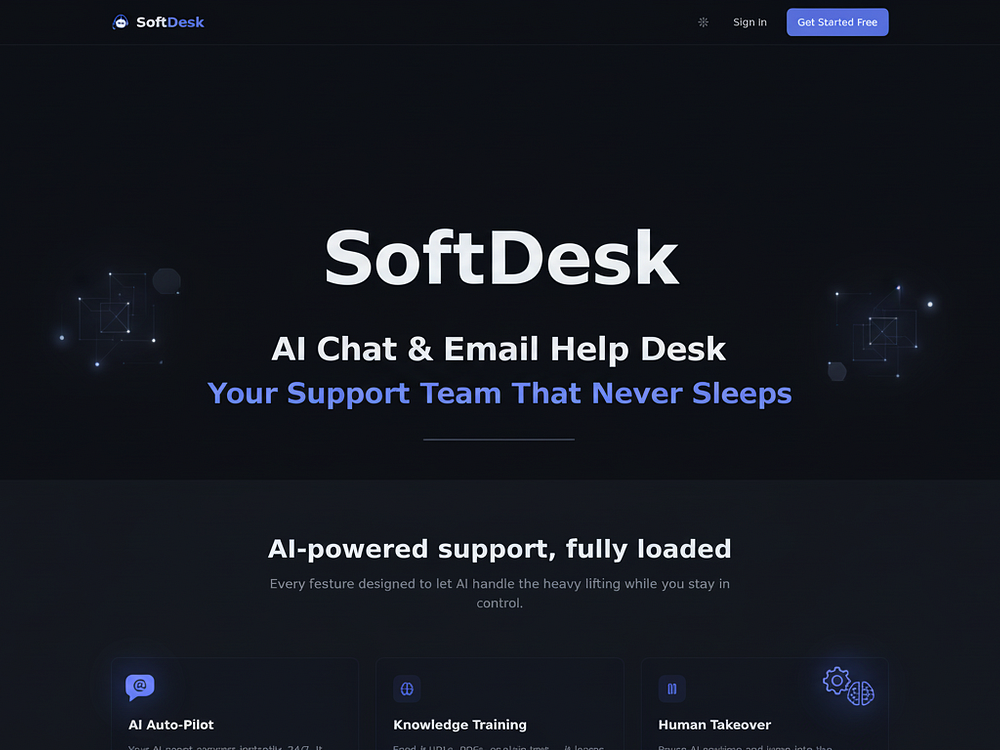
SoftDesk is an AI-first customer support tool built around an agent that learns from your product materials and answers customers across chat and email. Based on its BetaList listing, the product is aimed at teams that want faster 24/7 support without immediately hiring a larger support team.
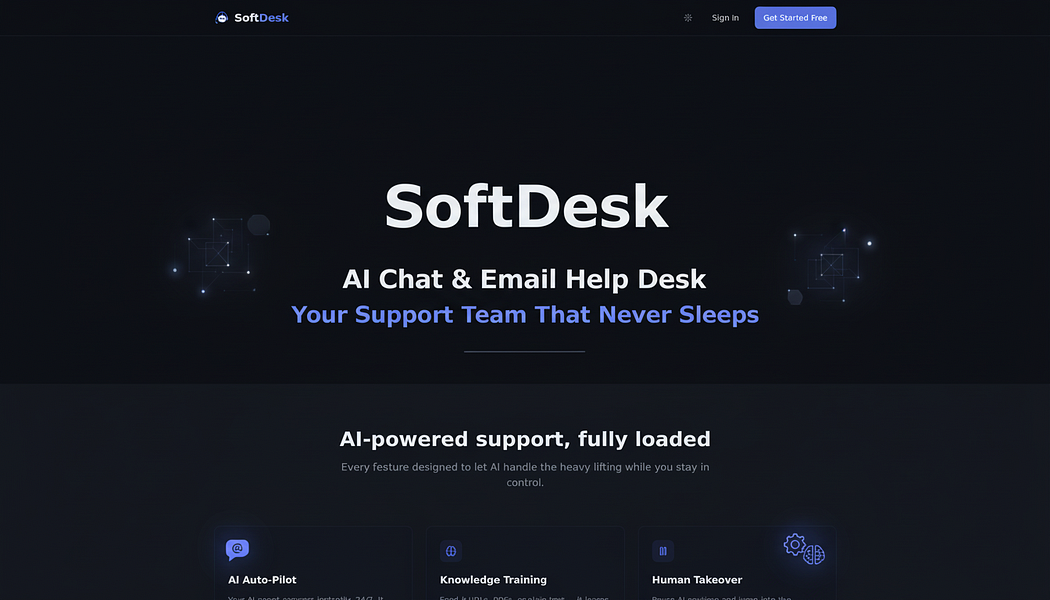
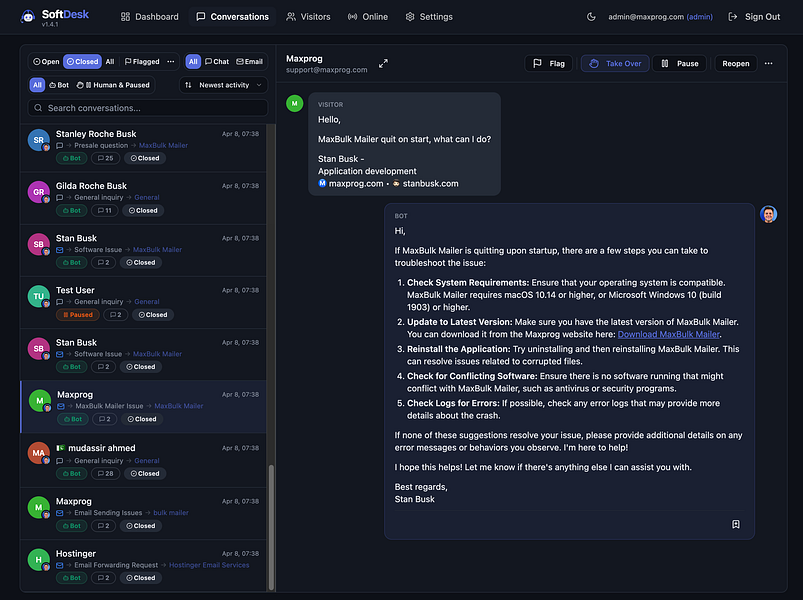
The core promise is straightforward: upload or connect product knowledge from docs, URLs, and PDFs, then let the AI agent respond to customer questions instantly. SoftDesk also includes human control features such as pause-and-takeover, smart routing, a unified inbox, customizable widgets, and real-time visitor insights.

What SoftDesk does
SoftDesk positions itself as a customer support automation platform rather than a generic chatbot. The AI agent is designed to learn your product information and provide responses through customer-facing support channels.
SoftDesk delivers AI-first customer support with an agent that learns your product from docs, URLs, and PDFs, answers customers instantly 24/7 across chat and email, and lets a single person handle the volume of a full team.
For buyers, the most relevant point is not just that SoftDesk uses AI, but that it combines automation with support operations features. The listing mentions both automated answering and tools for human supervision, which matters for teams that cannot risk a fully unsupervised support experience.
Key features listed for SoftDesk
| Area | What the source says | Why it matters for buyers |
|---|---|---|
| Knowledge ingestion | Learns from docs, URLs, and PDFs | Useful if your support answers already live in help docs, onboarding pages, product guides, or PDF manuals. |
| Channels | Answers across chat and email | Covers two common support workflows without forcing every customer into a chat widget. |
| Availability | Instant 24/7 responses | Can reduce wait times outside business hours, especially for repetitive questions. |
| Human control | Pause-and-takeover | Important when a human agent needs to step in, correct an answer, or handle a sensitive case. |
| Routing | Smart routing | Helps direct conversations to the right workflow or person when automation is not enough. |
| Inbox | Unified inbox | Gives teams one place to manage conversations instead of switching between tools. |
| Website experience | Customizable widgets | Allows the support entry point to better match your site or app experience. |
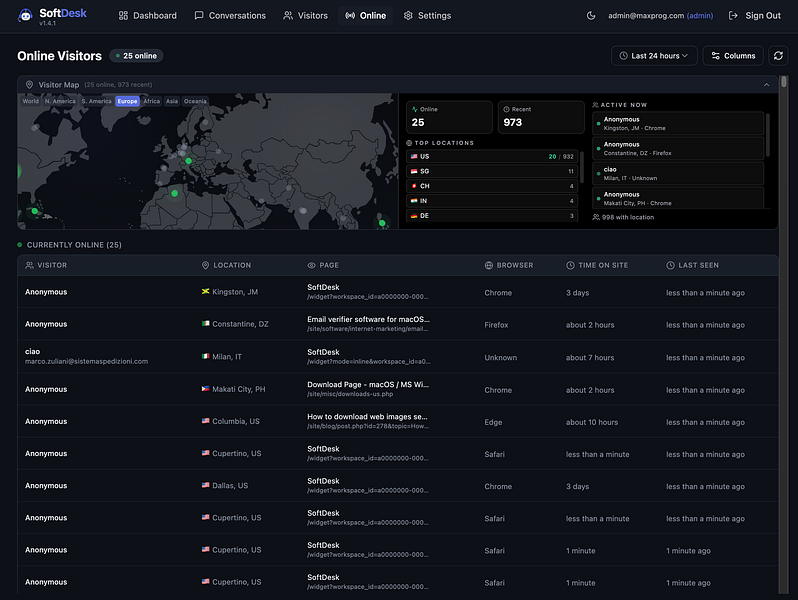
| Visitor context | Real-time visitor insights | Can help support staff understand who is asking, what they are viewing, and when intervention may be needed. |
Who should shortlist SoftDesk?
SoftDesk is most likely to fit teams that already have product information documented and want to turn that knowledge into a support agent quickly. If your documentation is scattered or outdated, the tool may still help, but the quality of responses will depend heavily on the quality and coverage of the source material you provide.
Good fit
- Small SaaS teams with high support volume: The listing specifically frames SoftDesk as a way for one person to handle the volume of a larger team.
- Teams with existing docs, URLs, and PDFs: SoftDesk’s learning model is based on these content sources, so documented products should see the clearest path to setup.
- Companies that need chat and email automation: If your support requests arrive through both channels, SoftDesk may reduce manual triage.
- Founders or operators who still want control: Pause-and-takeover, routing, and a unified inbox are useful when you do not want AI to operate without supervision.
Potentially poor fit
- Teams without reliable documentation: If answers are mostly in employees’ heads, SoftDesk will likely need content cleanup before it can perform well.
- Highly regulated or high-risk support environments: The source does not provide details about compliance, audit controls, data retention, or regulated-industry safeguards.
- Businesses needing only a basic FAQ widget: SoftDesk may be more than necessary if you only need a simple help-center search or static chatbot.
- Teams requiring detailed pricing certainty before evaluation: The source confirms plan tiers from Free to Enterprise, but does not provide exact prices.
Workflow value: where SoftDesk can help
The practical value of SoftDesk is likely to come from reducing repetitive support work. Common customer questions about setup, product usage, account steps, troubleshooting, billing explanations, or feature availability often pull support teams away from higher-value issues. An AI agent trained on approved materials can answer those lower-complexity questions faster.
The combination of 24/7 AI answering and human takeover is the part buyers should pay attention to. AI support tools can create risk when they answer confidently without enough context. SoftDesk’s listed controls suggest the product is designed to let a person intervene rather than forcing every interaction through automation.
Real-time visitor insights may also be useful for sales-assisted support or onboarding. If support staff can see visitor behavior while a conversation is active, they may be able to resolve issues faster or identify when a prospect needs help before abandoning a page.
Pricing and plan considerations
The BetaList source states that SoftDesk plans range from Free to Enterprise. It also mentions extras such as SMS and WhatsApp, analytics, custom domains, SSO, and API access. The listing does not provide exact pricing, usage limits, seat limits, message limits, or feature-by-feature plan breakdowns.
That makes pricing diligence important. Before adopting SoftDesk, buyers should confirm what is included in each plan and which features require higher-tier subscriptions.
| Pricing question | Why to ask |
|---|---|
| What are the limits on AI conversations, messages, or resolved tickets? | Support automation tools can become expensive if pricing scales with volume. |
| Are chat and email included on the Free plan? | The source lists both channels, but does not say which tiers include them. |
| Are SMS and WhatsApp paid extras or higher-tier features? | These channels can affect both subscription cost and messaging costs. |
| Which plan includes analytics? | Analytics are important for monitoring containment, escalation, and answer quality. |
| Are custom domains available outside Enterprise? | Branding and customer trust may depend on where the support experience is hosted. |
| Is SSO limited to Enterprise? | Many security-conscious teams need SSO before company-wide rollout. |
| Is API access included or sold separately? | API access matters if you want to integrate SoftDesk into internal systems or custom workflows. |
SoftDesk versus alternatives
The BetaList page lists several related startups, including SparrowDesk, Invent Assistants, BlitzSupport, Hawil AI, VirtualText AI Agents, and Jotform AI Agents. The source does not provide a full feature comparison, so buyers should treat these as adjacent options rather than confirmed one-to-one substitutes.
Still, the category is clear: SoftDesk competes in the broader market for AI customer support agents, AI helpdesks, AI chat tools, and support automation platforms. When comparing SoftDesk with alternatives, focus less on broad AI claims and more on operational fit.
Comparison checklist
- Knowledge sources: Can the tool train from the formats your team already uses, such as web pages, PDFs, and internal docs?
- Channel coverage: Do you need chat only, email only, or multiple channels such as SMS and WhatsApp?
- Human handoff: Can agents pause, take over, reroute, and review conversations easily?
- Inbox quality: Does the unified inbox replace your current workflow or create another place to check?
- Analytics depth: Can you measure answer quality, escalations, missed questions, and customer satisfaction?
- Security controls: Do you need SSO, custom domains, role-based permissions, or API access?
- Cost scaling: Does the price rise with seats, messages, contacts, channels, or AI usage?
Implementation risks to evaluate
AI customer support tools can save time, but the rollout should not be treated as a simple plug-in. SoftDesk’s value depends on how accurately it learns your product and how safely your team supervises the answers.
1. Source material quality
If your docs, URLs, and PDFs are outdated, incomplete, or contradictory, the AI agent may produce weak answers. Before launch, review your help content, remove obsolete pages, and create clear canonical answers for common questions.
2. Escalation design
SoftDesk includes pause-and-takeover and smart routing according to the source. Buyers should test these flows carefully. Decide which topics should always route to a human, such as billing disputes, cancellations, security questions, or account-specific issues.
3. Channel expansion cost
SMS and WhatsApp are listed as extras. These can be valuable for certain customer bases, but they may add cost and operational complexity. Confirm pricing, compliance needs, and opt-in requirements before enabling them.
4. Analytics availability
Analytics are mentioned, but not described in detail. If you need to prove ROI, ask whether SoftDesk can report on response times, resolved conversations, escalation rates, unanswered questions, and customer outcomes.
Verdict: should buyers evaluate SoftDesk?
SoftDesk is worth shortlisting if you want an AI support agent that can learn from existing product content and answer customers across chat and email, while still giving your team control through takeover, routing, and a shared inbox. Its strongest fit appears to be lean SaaS and digital product teams that need to scale support availability without immediately scaling headcount.
The main caution is pricing and packaging clarity. The source confirms a Free-to-Enterprise plan range and mentions advanced extras such as SMS, WhatsApp, analytics, custom domains, SSO, and API access, but it does not include exact pricing or tier limits. Buyers should request a plan breakdown before relying on SoftDesk as a core support layer.
Shortlist SoftDesk if: you have solid documentation, receive repetitive support questions, need chat and email automation, and want AI assistance with human oversight.
Be cautious if: your support work is highly regulated, your documentation is not ready, or you need transparent pricing and feature limits before starting a trial.
Evaluation criteria
How to use this guide before buying software.
FAQ
How should I evaluate SoftDesk – Deploy an AI agent that learns your product and answers instantly?+
Evaluate SoftDesk – Deploy an AI agent that learns your product and answers instantly through workflow fit, pricing risk, integrations, alternatives, and whether it improves a real ai tools use case.
What should I compare before buying an AI or SaaS tool?+
Compare the product against direct competitors, built-in features inside tools you already use, and the current manual workflow before choosing a paid plan.
When should I skip a trending tool?+
Skip it when the use case is unclear, pricing limits are hard to verify, or the product duplicates a workflow your existing stack already handles well.