The Place – Unify email, calendar, tasks, and goals in one focused workspace
The Place – Unify email, calendar, tasks, and goals in one focused workspace: Capture ideas with Create, plan work on To-Do, map your Outcomes, and let...
Key takeaways
- Use this as a buyer-focused guide for ai tools, not just a trend summary.
- Compare workflow fit, pricing risk, integrations, and alternatives before trying another tool.
- Check the FAQ section for final decision points before shortlisting.
The Place is a productivity workspace listed on BetaList that aims to bring email, calendar, tasks, ideas, and goals into one focused operating environment. Its core promise is simple: connect the everyday flow of work to the organization’s purpose and priorities, so teams can better decide what deserves attention next.
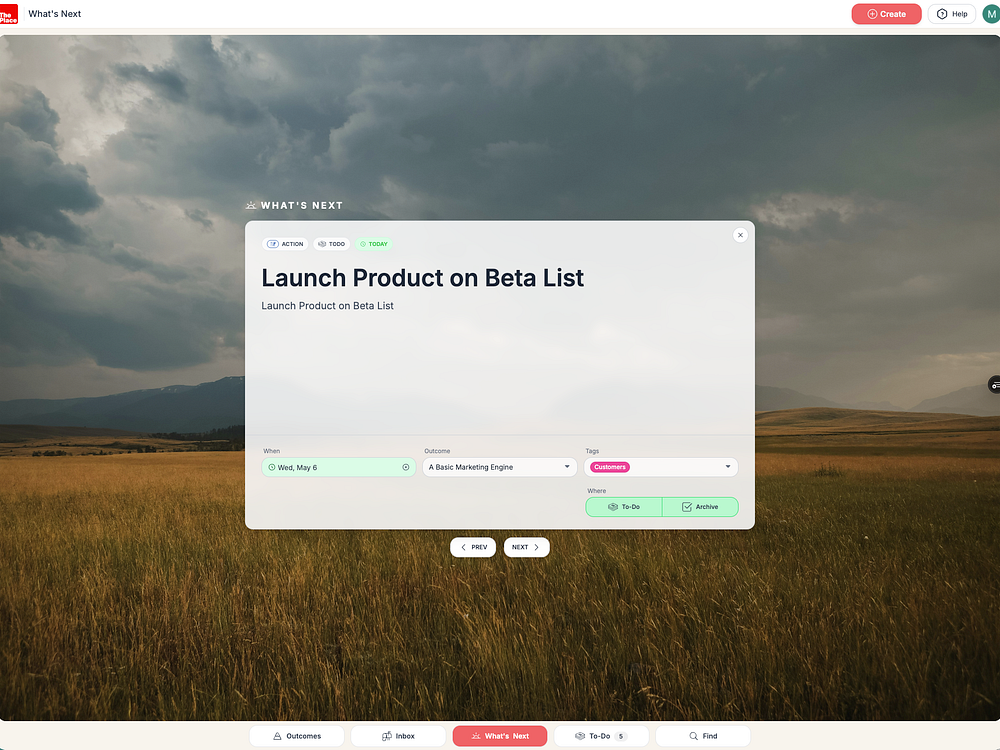
Based on the available source details, The Place is best understood as an early-stage AI productivity and work management tool for teams that already live in Google Workspace or Microsoft 365. It is not positioned as a single-purpose task app. Instead, it combines several work layers: an AI-powered Inbox, a Create area for capturing ideas, a To-Do area for planning work, and Outcomes for mapping goals and priorities.
The buyer question is not simply “Can The Place manage tasks?” It is whether your team needs a more connected workspace where email, meetings, tasks, and goals influence each other.
What The Place Is Designed To Do
The Place describes itself as a workspace that unifies email, calendar, tasks, and goals. The practical value is in reducing the gap between incoming communication and planned work. For many teams, important work arrives through email, meetings, or scattered ideas, while strategic priorities live somewhere else entirely. The Place is trying to close that gap.
The product’s stated workflow includes four main concepts:
- Create: Capture ideas before they are lost or fragmented across notes and messages.
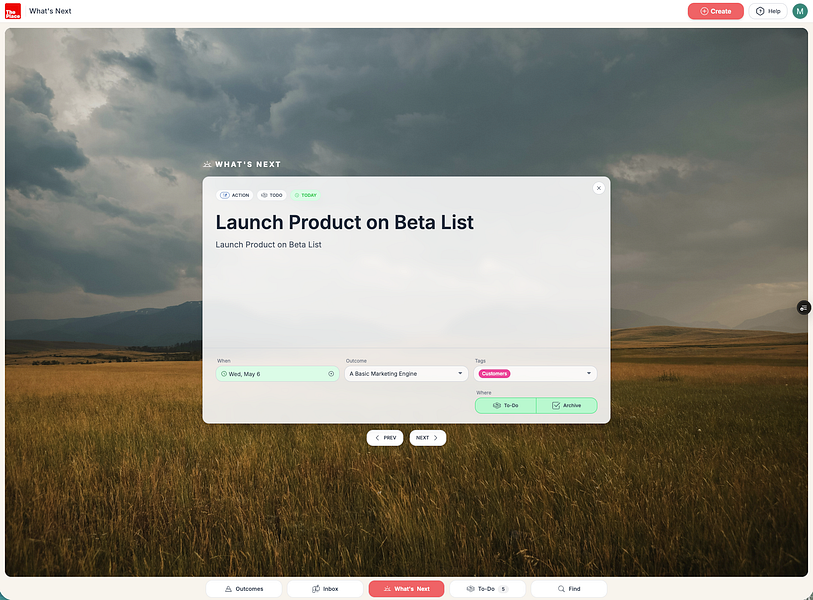
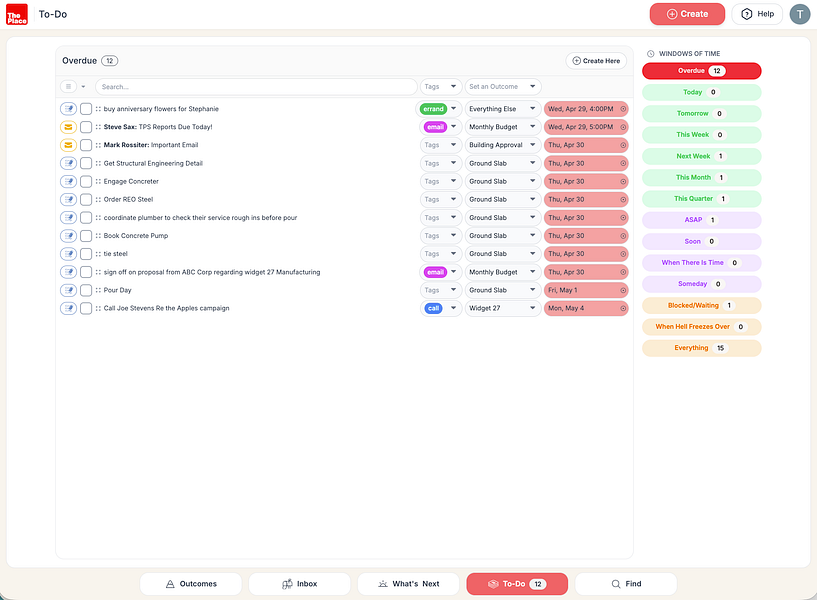
- To-Do: Plan and organize work into tasks.
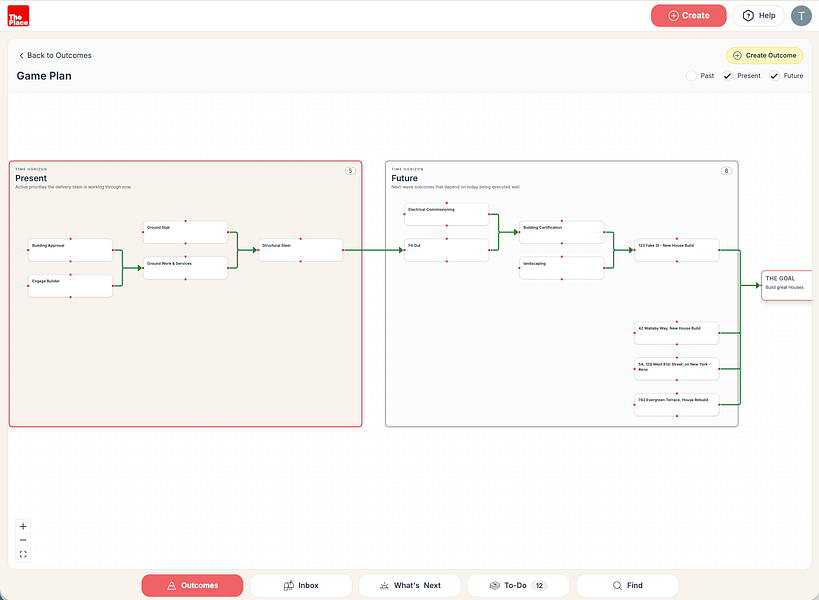
- Outcomes: Map the organization’s purpose, priorities, and goals.
- AI-powered Inbox: Surface what deserves attention first, instead of treating every incoming item equally.
The source also states that The Place connects to Google Workspace or Microsoft 365, which matters for adoption. A tool like this becomes more useful when it can sit near the systems where work already happens rather than forcing teams to manually copy information into another platform.

Key Features At A Glance
| Area | What the source says | Buyer takeaway |
|---|---|---|
| Email and inbox | AI-powered Inbox surfaces what deserves attention first. | Useful for teams struggling with priority overload, though buyers should test how well the AI ranks real inbox items. |
| Calendar and meetings | The Place unifies calendar with other work areas. | Potentially valuable if meetings often create follow-up work that gets lost. |
| Tasks | To-Do is used to plan work. | Could replace or supplement basic task management, depending on depth of features. |
| Goals and priorities | Outcomes maps organizational purpose and priorities. | Best fit for teams that want daily work tied to higher-level objectives. |
| Idea capture | Create captures ideas. | Helpful for teams that generate ideas in meetings, email, or async discussions. |
| Integrations | Connects to Google Workspace or Microsoft 365. | Most relevant for organizations already standardized on either ecosystem. |
| Security and compliance | Source mentions ISO 27001 and GDPR compliance. | Important for business buyers, but procurement teams should verify documentation directly with the vendor. |
Where The Place May Fit In A Team Workflow
The Place appears most relevant for teams whose work is split across too many surfaces: email threads, calendar events, task lists, goal documents, and ad hoc idea capture. In that environment, the cost is not just tool switching. The bigger cost is weak prioritization. People may know what messages arrived, but not which ones actually advance the team’s outcomes.
A likely workflow could look like this:
- An email or meeting creates a follow-up item.
- The AI-powered Inbox helps identify whether that item needs attention.
- The team turns it into planned work in To-Do.
- Relevant ideas are captured in Create.
- Work is connected back to Outcomes, so priorities guide what happens next.
That kind of workflow is particularly useful for leadership teams, operators, founders, project leads, and cross-functional teams that need to connect strategy to execution without introducing a heavy project management system.
Who Should Shortlist The Place?
Good fit
- Teams using Google Workspace or Microsoft 365: The Place is explicitly described as connecting to both ecosystems, making it a more natural fit for organizations already operating there.
- Teams with priority overload: If email, meetings, and tasks compete for attention, an AI-powered Inbox could help create a more deliberate queue.
- Managers who want goal-linked execution: The Outcomes concept may appeal to teams that want work to be guided by purpose and priorities, not just task volume.
- Small to mid-sized teams testing a unified workspace: The BetaList positioning suggests a product worth evaluating if you are open to newer tools and want an integrated productivity layer.
Potentially poor fit
- Teams that only need a simple task list: If your requirement is basic personal task tracking, The Place may be broader than necessary.
- Organizations with strict procurement requirements: The source mentions ISO 27001 and GDPR compliance, but buyers should still request current security documentation, data handling details, and contract terms.
- Teams deeply standardized on another work management platform: If your workflows are already built around Asana, Jira, Monday.com, ClickUp, or Notion, switching costs may outweigh the benefit unless The Place solves a clear inbox-to-outcomes problem.
- Buyers needing transparent pricing immediately: Pricing was not included in the provided source material, so budget evaluation will require checking directly with the vendor.
How The Place Compares With Adjacent Tool Categories
The Place sits between several software categories. It overlaps with task management, email management, calendar tools, team collaboration, and goal-tracking software. That creates both opportunity and risk: the value is consolidation, but the buying team must verify whether each layer is strong enough for their use case.
| Category | Typical strength | How The Place appears to differ |
|---|---|---|
| Task management apps | Organizing work into lists, boards, deadlines, and ownership. | The Place adds email, calendar, ideas, AI prioritization, and Outcomes rather than focusing only on tasks. |
| Email clients | Managing communication and inbox workflows. | The Place positions the inbox as part of a broader work system, with AI surfacing priority items. |
| Calendar tools | Scheduling and time visibility. | The Place connects calendar activity to tasks and goals, based on its unified workspace positioning. |
| OKR or goal software | Defining objectives, outcomes, and progress. | The Place brings Outcomes closer to daily work such as replying to emails, attending meetings, and completing tasks. |
| All-in-one workspaces | Combining notes, docs, tasks, and collaboration. | The Place’s differentiator appears to be its focus on inbox-driven attention and organization-level priorities. |
Alternatives To Consider
The BetaList page lists several similar startups, including Unifyi.app, Workplete, Manager Toolkit, OMNEX, Workjoy, and FlowTask. The right alternative depends on which problem you are actually trying to solve.
- If team conversations are not turning into action: A workspace focused on converting discussions into actions may be a better match.
- If you want a broad AI productivity platform: Compare The Place with tools that emphasize AI across multiple productivity workflows.
- If management workflows are the priority: Manager-oriented toolkits may be more focused on leadership routines, team check-ins, and coordination.
- If you need an operating layer across email, chat, projects, and docs: Consider alternatives that explicitly position themselves around unifying more communication and project surfaces.
- If team wellbeing and focus are central: A tool aimed at stress-free productivity may be more relevant than a goal-linked workspace.
When comparing The Place with these alternatives, do not evaluate only feature count. Instead, test where the tool starts: inbox, tasks, goals, conversations, or management routines. The starting point usually reveals the product’s real workflow bias.
Pricing And Adoption Risks
The provided source material does not include pricing, plan limits, trial terms, seat costs, or implementation details. That creates a normal evaluation gap for buyers. Before committing, ask for clear answers on pricing structure, workspace limits, integration requirements, data retention, admin controls, and support expectations.
Key risks to check during evaluation:
- AI prioritization quality: The AI-powered Inbox is a central promise. Test it with real email patterns and team priorities, not just demo data.
- Workflow depth: Confirm whether To-Do, Create, and Outcomes are robust enough for your team’s daily work.
- Integration behavior: Since The Place connects to Google Workspace or Microsoft 365, verify what data syncs, how permissions work, and whether calendar and email changes remain reliable.
- Security review: ISO 27001 and GDPR compliance are important claims from the source, but enterprise buyers should request proof, subprocessors, data residency details, and DPA availability.
- Change management: A unified workspace only works if people use it consistently. Pilot with one team before rolling it out across the company.
Evaluation Checklist For Buyers
Use this checklist to decide whether The Place deserves a pilot:
- Does your team already use Google Workspace or Microsoft 365?
- Are important decisions and follow-ups currently buried in email or meetings?
- Do team members struggle to identify what deserves attention first?
- Do managers want daily tasks connected to broader outcomes or organizational priorities?
- Is your current task or project management setup too disconnected from inbox and calendar work?
- Can the vendor provide pricing, security documentation, and integration details before rollout?
- Can you test the AI-powered Inbox against real work for at least one team?
Bottom Line
The Place is a promising fit for teams looking to connect communication, planning, and goals in one workspace. Its strongest idea is not merely combining email, calendar, tasks, and goals, but allowing organizational priorities to influence what people work on next. The AI-powered Inbox, Create, To-Do, and Outcomes structure gives buyers a clear workflow to evaluate.
Shortlist The Place if your team is overloaded by fragmented work and wants a more focused system connected to Google Workspace or Microsoft 365. Be more cautious if you need transparent pricing, mature enterprise procurement details, or highly specialized project management features. The best next step is a focused pilot: connect a real workspace, map a few Outcomes, and see whether the AI-powered Inbox genuinely improves prioritization.
Evaluation criteria
How to use this guide before buying software.
FAQ
How should I evaluate The Place – Unify email, calendar, tasks, and goals in one focused workspace?+
Evaluate The Place – Unify email, calendar, tasks, and goals in one focused workspace through workflow fit, pricing risk, integrations, alternatives, and whether it improves a real ai tools use case.
What should I compare before buying an AI or SaaS tool?+
Compare the product against direct competitors, built-in features inside tools you already use, and the current manual workflow before choosing a paid plan.
When should I skip a trending tool?+
Skip it when the use case is unclear, pricing limits are hard to verify, or the product duplicates a workflow your existing stack already handles well.